
Token is a Neovim 0.12+ colorscheme, written in Lua, with six appearances: Token
Ultra, Token Meridian, Token Melange, classic Token, Token Flint, and Token
Temper. Each has a dark and a light variant. One optional setup() call
configures every appearance.
Token also generates themes for Ghostty, fish, delta, tmux and other tools from the same palettes, so your terminal and tools match the editor.
- Token Ultra, Token Meridian, Token Melange, classic Token, Token Flint, and Token Temper appearances, each with dark and light variants
- Treesitter capture groups for syntax highlighting
- LSP semantic token highlights
- Shared semantic typography: bold control flow, definitions and headings, italic comments and quotes, underlined links
- LSP diagnostic signs, virtual text, and underlines
- Diff highlights for buffers and signs
- Legacy syntax groups for filetypes without Treesitter
- Terminal colors (ANSI colors 0 to 15)
- A Lualine theme
- Opt-in plugin integrations
- Optional bytecode compilation for faster startup
- Themes for other tools and apps, generated from each appearance palette
Copper definitions, ochre control flow, teal literals, and shared semantic typography.
| Dark | Light |
|---|---|
 |
 |
Circadia Warm Parchment and Dark Classic semantic colors on Token Ultra's surfaces. Errors and warnings use Token Ultra's red and yellow, so they stay distinct from info and hint. Palette and token roles come from Circadia 2.0, used under the MIT License.
| Dark | Light |
|---|---|
 |
 |
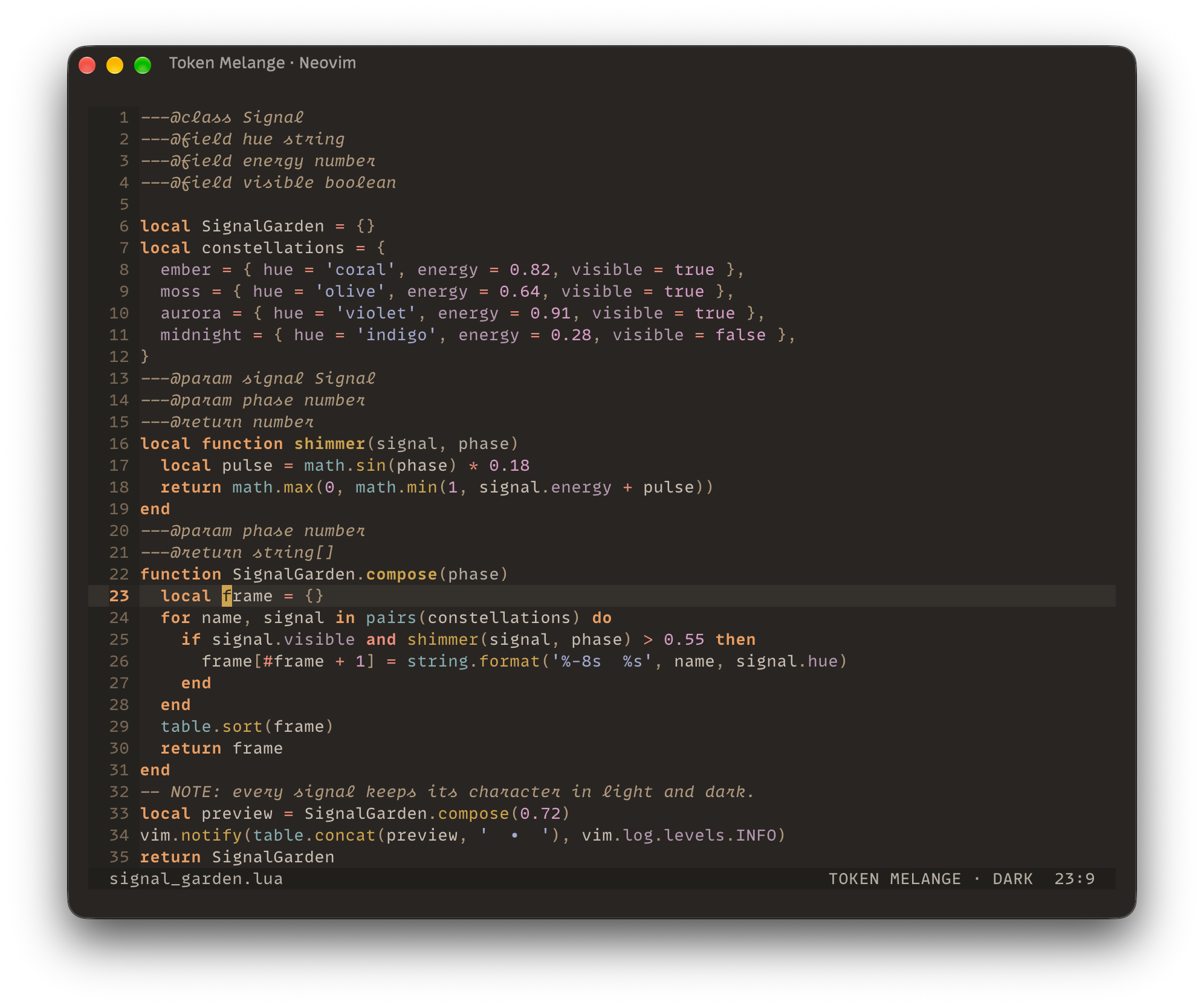
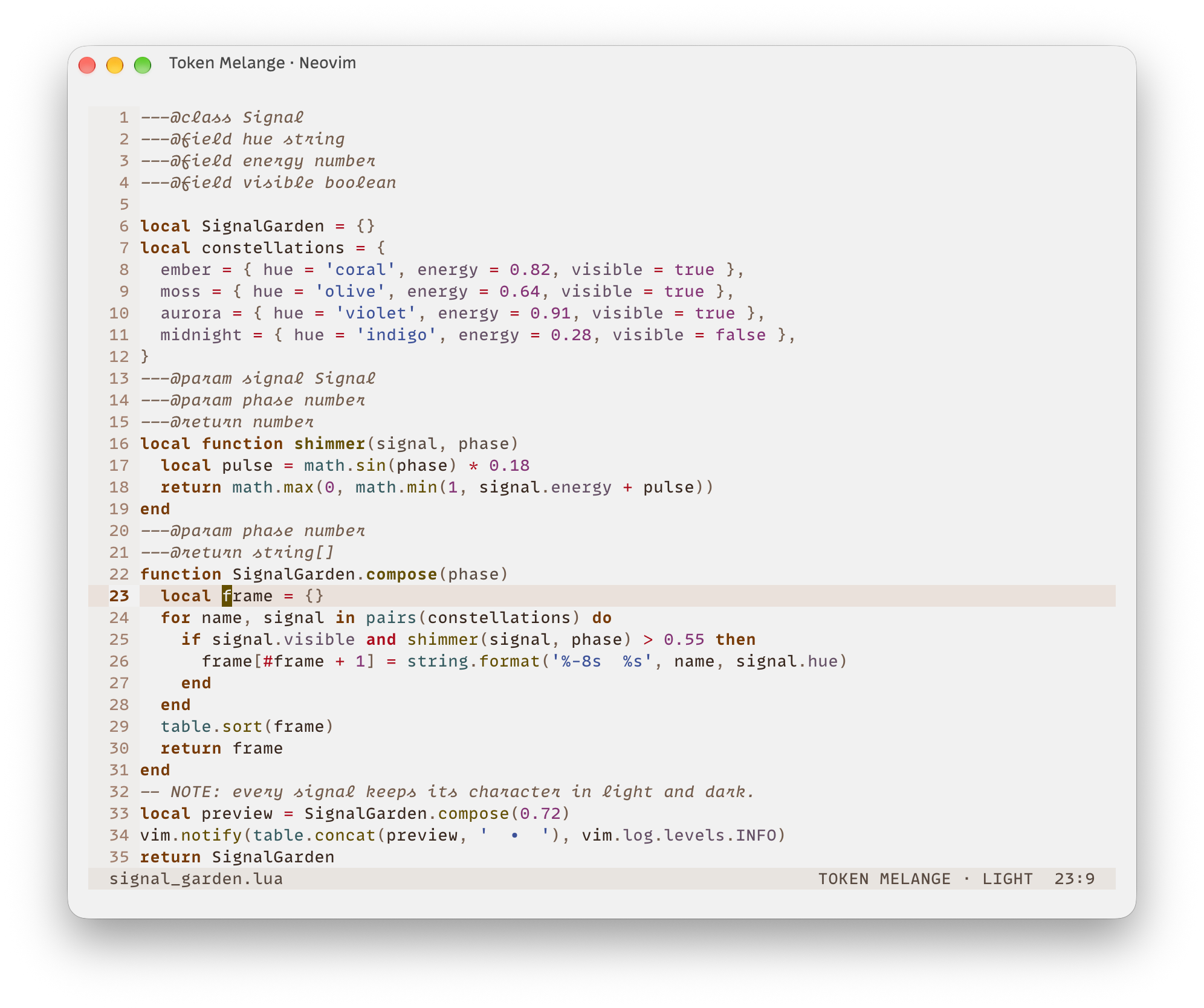
Melange's warm surfaces and its split between warm control flow and cool data: orange keywords, gold functions and coral operators against blue strings, magenta numbers and cyan types. Token keeps Melange's hues and adjusts their lightness to match the contrast of the other appearances. Palette and syntax roles come from Melange by Sergio Alejandro Vargas, used under the MIT License.
| Dark | Light |
|---|---|
 |
 |
Coral functions, tan keywords, green strings, blue types and purple constants on warm gray surfaces. The light variant uses rust and brown for functions and keywords.
| Dark | Light |
|---|---|
 |
 |
A restrained cool-gray foundation with softly desaturated rust, gold, blue, and green under the shared Token semantic typography.
| Dark | Light |
|---|---|
 |
 |
Teal definitions, calls and literals, purple control flow, and neutral grays for everything else, on cool-gray surfaces.
| Dark | Light |
|---|---|
 |
 |
These snippets install the latest tagged release instead of untagged commits on the default branch:
-- vim.pack (Neovim 0.12+)
vim.pack.add({
  {
    src = 'https://github.com/ThorstenRhau/token',
    version = vim.version.range('*'),
  },
})

-- lazy.nvim
{ 'ThorstenRhau/token', version = '*' }local token = require('token')
---@type token.Config
local config = {
transparent = false,
plugins = { gitsigns = true, snacks = true },
}
token.setup(config)
vim.cmd.colorscheme('token') -- or 'token-ultra', 'token-meridian', 'token-melange', 'token-flint', 'token-temper'The colorscheme name selects Token Ultra, Token Meridian, Token Melange, classic
Token, Token Flint, or Token Temper. vim.o.background selects dark or
light within that appearance. Set the background before you load the
colorscheme, or change it while Neovim runs to switch variants.
setup() is optional and applies to all appearances. Each call starts from the
defaults and deep-merges the options you pass. It does not reload a colorscheme
that is already active.
The full reference ships with the plugin. Run :help token in Neovim, or jump
to an option with a tag such as :help token-config-styles. You can also read
it on GitHub in doc/token.txt.
Token describes its options with LuaCATS annotations, so lua-language-server and
EmmyLua can complete option names and check values in your config. Options
passed straight to setup() already have a type. Annotate a table you build
elsewhere, such as a lazy.nvim opts table, with ---@type token.Config.
The language server must read Token's files. lazydev.nvim adds them when your
config calls require('token'). Without it, add Token's install directory to
the workspace library. By default that is
~/.local/share/nvim/site/pack/core/opt/token for vim.pack and
~/.local/share/nvim/lazy/token for lazy.nvim. For EmmyLua, in .emmyrc.json
in your config directory:
{
  "workspace": {
    "library": ["$VIMRUNTIME", "~/.local/share/nvim/site/pack/core/opt/token"]
  }
}
:help token-types has the same setup for lua-language-server.
v2 adds setup(). A config with only vim.cmd.colorscheme('token') still
works.
v2 turns plugin integrations off by default, where v1 loaded all of them. Turn
on the ones you use under plugins, or set plugins = { all = true } to get
the v1 behavior back.
local token = require('token')

---@type token.Config
local config = {
  -- Clear base UI surfaces while preserving semantic backgrounds.
  transparent = false,

  -- Set Neovim's ANSI terminal palette when the colorscheme loads.
  terminal_colors = true,

  -- Give inactive windows a quieter foreground and background.
  dim_inactive = false,

  -- Disable an attribute globally, including in overrides and plugin groups.
  attributes = {
    bold = true,
    italic = true,
    underline = true,
    undercurl = true,
    strikethrough = true,
  },

  -- Overlay attributes on semantic highlight categories.
  styles = {
    booleans = {},
    comments = {},
    conditionals = {},
    constants = {},
    functions = {},
    keywords = {},
    loops = {},
    numbers = {},
    operators = {},
    preprocessor = {},
    properties = {},
    strings = {},
    types = {},
    variables = {},
  },

  -- Apply shared colors first, then the active background variant.
  colors = { all = {}, dark = {}, light = {} },

  -- Replace complete highlight definitions. Variant entries take precedence.
  highlights = { all = {}, dark = {}, light = {} },

  -- Integrations are opt-in. `all = true` restores v1 behavior.
  plugins = {
    all = false,
    gitsigns = true,
    snacks = true,
  },

  -- Mutate the configured palette after declarative color overrides.
  on_colors = function(colors, background, colorscheme) end,

  -- Mutate final highlights before global attribute gates are applied.
  on_highlights = function(highlights, colors, background, colorscheme) end,
}

token.setup(config)
Style entries accept the boolean attributes listed under attributes. Token
adds them on top of its own definitions. Broad categories apply before the more
specific ones: keywords and functions before preprocessor, keywords
before conditionals and loops, constants before booleans, and
variables before properties.
Color overrides apply in this order: all, the current background, then
on_colors. Existing and new palette keys must hold #RRGGBB values. Highlight
entries are complete nvim_set_hl definitions, and a variant entry replaces the
entry with the same name from all. on_highlights runs after that and can
change existing definitions.
Both callbacks change their arguments in place. They receive dark or light
as the background, followed by the active colorscheme name: token-ultra,
token-meridian, token-melange, token, token-flint, or token-temper.
Callbacks that leave out the last argument still work.
transparent clears Token's base surfaces and keeps the cursor-line, selection,
search, diff, diagnostic, and accent backgrounds. Highlight overrides and
callbacks can bring back single backgrounds.
dim_inactive sets NormalNC and the matching groups of enabled plugins to the
fg1 and bg1 palette colors. With transparent, only the foreground changes.
The global attributes switches apply last, including to plugin and callback
output. The Lualine theme follows bold. A group that links to a group outside
Token keeps the link, because a link can't carry attribute overrides.
Token rejects unknown options, style categories, attributes, and plugin names
with an error that starts with token:.
Token links the standard LSP semantic token types and modifiers to its
Treesitter groups, so they get the same colors and styles in every appearance.
Some language servers add their own token types and modifiers, such as self
parameters in Python or dates in TOML. Token links these to the closest existing
group.
Token works without compilation. For faster startup, you can compile the theme into bytecode:
:TokenCompileThis writes twelve variants to stdpath('cache')/token/: Ultra, Meridian,
Melange, classic, Flint, and Temper, each in dark and light. From the next load,
Token uses the bytecode for the current appearance and background instead of
building the highlights at runtime. The compiled output contains only the
integrations you enabled, and leaves out terminal colors when
terminal_colors = false.
Token does not check whether a cache matches the installed Token version. You
must rerun :TokenCompile:
- After updating Token. Until you do, Token keeps loading the highlights from the old version.
- After changing callback upvalues, globals, or other external inputs that
on_colorsandon_highlightsread. Token cannot see those changes.
With lazy.nvim, add build = ':TokenCompile' to the plugin spec so updates
recompile automatically. With vim.pack, restart Neovim after vim.pack.update()
and then run :TokenCompile.
Token detects changes to setup() options and callback bodies. It then ignores
the cache and builds the highlights at runtime until you run :TokenCompile
again.
Each compile overwrites the previous set. If two Neovim instances share a cache directory but use different Token options, such as a terminal and a GUI client, only the one you compiled last loads from the cache. Token deletes a corrupt cache on its own.
To stop using compilation, remove the compiled caches:
:TokenClearCacheFrom the next colorscheme load, Token builds the highlights at runtime, and you
no longer need to rerun :TokenCompile after updates. The running session keeps
its current highlights until the colorscheme loads again.
By default Token loads only its core groups. Turn on an integration by its key,
or set plugins = { all = true } to load all of them. A true or false for a
single plugin overrides all. The keys below match the module filenames.
Lualine isn't in this list: its theme loads when Lualine asks for it.
blink, blink_indent, claudecode, cmp, dap_ui, diffview, flash,
fugitive, fzf, gitsigns, hlchunk, ibl, lazy, markview, mason,
matchup, mini, neo_tree, neogit, noice, nvimtree, oil,
render_markdown, sidekick, snacks, telescope, todo_comments,
treesitter_context, trouble, and whichkey.
Enable Sidekick highlights with:
require('token').setup({
  plugins = { sidekick = true },
})
plugins.mini includes mini.statuscolumn, so plugins.all also turns on
Token's fallback highlights for it.
blink.indent uses rainbow scope guides by default. To get Token's muted guides
with one brighter neutral scope guide, turn on plugins.blink_indent and point
blink.indent at Token's neutral groups:
require('blink.indent').setup({
  scope = {
    highlights = { 'BlinkIndentScope' },
    underline = {
      highlights = { 'BlinkIndentUnderline' },
    },
  },
})
fzf-lua uses fzf's own colors unless you set fzf_colors = true, and its
treesitter pickers, such as global and blines, show matches as reversed
blocks. To color fzf and its matches from Token's FzfLuaFzf* groups:
require('fzf-lua').setup({
  fzf_colors = true,
  winopts = { treesitter = { fzf_colors = false } },
})
hlchunk sets its own highlight groups during setup and on ColorScheme. Turn on
Token's plugins.hlchunk (or plugins.all), and load the colorscheme before
you set up hlchunk. Style callbacks keep Token's colors when you switch
appearances or backgrounds. Turn on only the modules you want:
local function token_style(names)
  return function()
    return vim.tbl_map(function(name)
      return vim.api.nvim_get_hl(0, { name = name, link = false })
    end, names)
  end
end

require('hlchunk').setup({
  chunk = { enable = true, style = token_style({ 'HLChunk1', 'HLChunk2' }) },
  indent = { enable = true, style = token_style({ 'HLIndent1' }) },
  line_num = { enable = true, style = token_style({ 'HLLineNum1' }) },
  blank = { enable = true, style = token_style({ 'HLBlank1' }) },
})Token also ships generated themes for 27 other tools: terminals
(Apple Terminal, Blink Shell, Ghostty, iTerm2, kitty,
Windows Terminal), editors and IDEs (Emacs, GtkSourceView, Sublime Text,
VS Code, Xcode), command-line tools (bat, Carapace, delta, fish,
fzf, lazygit, ripgrep, Starship, tmux, tuicr, Zsh), and apps and
agents (ChatGPT desktop, Herdr, Hermes Agent, Obsidian, Pi).
Click to expand contrib details
Token ships themes for other tools and apps. They're generated from the same
appearance palettes and semantic typography as the Neovim colorscheme. After you
change a palette or the typography, run make contrib to rebuild them.
The Herdr themes blend overlay0 and accent toward the terminal background,
so pane frames are quieter. In light mode they also separate active and inactive
panes more. Herdr uses the same two colors for secondary UI details and accent
highlights. Only the Herdr themes change. The palettes and the other themes keep
their original colors.
Every tool has a file for each appearance. In the paths below, <appearance> is
token, token-flint, token-temper, token-ultra, token-meridian, or
token-melange.
| Tool | Files | Usage |
|---|---|---|
| Apple Terminal | contrib/apple-terminal/<appearance>-{dark,light}.terminal |
Open the file to import it, then pick the profile in Settings > Profiles |
| bat | contrib/bat/<appearance>-{dark,light}.tmTheme |
Copy to the bat themes directory, then run bat cache --build |
| Blink Shell | contrib/blink/<appearance>-{dark,light}.js |
Paste the selected raw file URL in Appearance > Themes > New Theme |
| Carapace | contrib/carapace/<appearance>-{dark,light}.json |
Merge the selected carapace object into styles.json |
| ChatGPT desktop | contrib/chatgpt/<appearance>-{dark,light}.txt |
Import the share string for the matching variant |
| delta | contrib/delta/<appearance>.gitconfig |
Install the matching bat theme first, then include one file and select its dark or light feature |
| Emacs | contrib/emacs/<appearance>-{dark,light}-theme.el |
Copy to the themes directory and load the selected theme name |
| fish | contrib/fish/<appearance>.theme |
Copy to the fish themes directory and choose the matching appearance |
| fzf | contrib/fzf/<appearance>-{dark,light}.{fish,zsh} |
Source the matching shell file |
| Ghostty | contrib/ghostty/<appearance>-{dark,light} |
Copy to the Ghostty themes directory and select the matching pair |
| GtkSourceView | contrib/gtksourceview/<appearance>-{dark,light}.xml |
Copy to the GtkSourceView styles directory and select the scheme |
| Herdr | contrib/herdr/<appearance>.toml |
With Herdr 0.9.0+, replace existing theme tables in config.toml with the selected fragment, run herdr config check, then herdr server reload-config |
| Hermes Agent | contrib/hermes/<appearance>-{dark,light}.yaml |
Copy to the Hermes skins directory and select with /skin (see below) |
| iTerm2 | contrib/iterm2/<appearance>-{dark,light}.itermcolors |
Import from Profiles > Colors > Color Presets |
| kitty | contrib/kitty/<appearance>-{dark,light}.conf |
Include the selected file in kitty.conf |
| lazygit | contrib/lazygit/<appearance>-{dark,light}.yml |
Merge the selected file into config.yml |
| Obsidian | contrib/obsidian/ for classic Token, contrib/obsidian/<appearance>/ for the others |
Install the selected appearance directory |
| Pi | contrib/pi/<appearance>-{dark,light}.json |
Copy the selected file to ~/.pi/agent/themes/, then select its name in /settings |
| ripgrep | contrib/ripgrep/<appearance>-{dark,light}.ripgreprc |
Point RIPGREP_CONFIG_PATH at the selected file |
| Starship | contrib/starship/<appearance>-{dark,light}.toml |
Append the file and set palette to its name, such as token-dark |
| Sublime Text | contrib/sublime/<appearance>-{dark,light}.sublime-color-scheme |
Copy to Packages/User/ and select the scheme |
| tmux | contrib/tmux/<appearance>-{dark,light}.conf |
Source the selected file from tmux.conf |
| tuicr | contrib/tuicr/<appearance>-{dark,light}.{toml,tmTheme} |
Copy both files to ~/.config/tuicr/themes/, then set theme_dark and theme_light to their names |
| VS Code | contrib/vscode/ |
Run scripts/install_vscode_theme.sh, then select any Token appearance |
| Windows Terminal | contrib/windows-terminal/<appearance>.json |
Copy the selected schemes into settings or fragments |
| Xcode | contrib/xcode/<appearance>-{dark,light}.xccolortheme |
Copy to ~/Library/Developer/Xcode/UserData/FontAndColorThemes/ and select the visible name |
| Zsh | contrib/zsh/<appearance>-{dark,light}.zsh |
Source the selected file from .zshrc |
delta reads its syntax theme from bat's cache, so install the bat theme before you include the delta file.
For classic Token in Obsidian, use the accent #bc6a49. It sits between the
light and dark accents on purpose, so you don't have to change the Obsidian
setting each time macOS switches appearance. Token Ultra, Token Meridian, Token
Melange, Token Flint, and Token Temper install as separate Obsidian themes with
those names.
In Pi, syntax and Markdown colors follow the appearance's role profile when it has one. Pi has a single heading color, which takes the first heading role. Appearances without a profile keep the default palette mappings.
BSD 3-Clause
Token Meridian's palette is adapted from
Circadia 2.0, Copyright (c)
2026 Circadia contributors, under the MIT License. The full notice is in
lua/token/palettes/meridian.lua.
Token Melange's palette is adapted from
Melange, Copyright (c) 2021 Sergio
Alejandro Vargas, under the MIT License. The full notice is in
lua/token/palettes/melange.lua.