





A visual editor for TechDocs pages, for people who don't know Git: click the pencil on a page, write, publish. Underneath it is the usual GitHub flow (branch, pull request, checks, merge), with the person's own GitHub permissions.
| Package | npm |
|---|---|
@edtroleis/plugin-techdocs-editor: editor page and TechDocs addon |
 |
@edtroleis/plugin-techdocs-editor-common: core (Markdown, lint, merge, GitHub client) |
 |
@edtroleis/plugin-scaffolder-backend-module-techdocs-editor: Scaffolder action techdocs-editor:setup |
 |
Installation, configuration and security: plugin README.
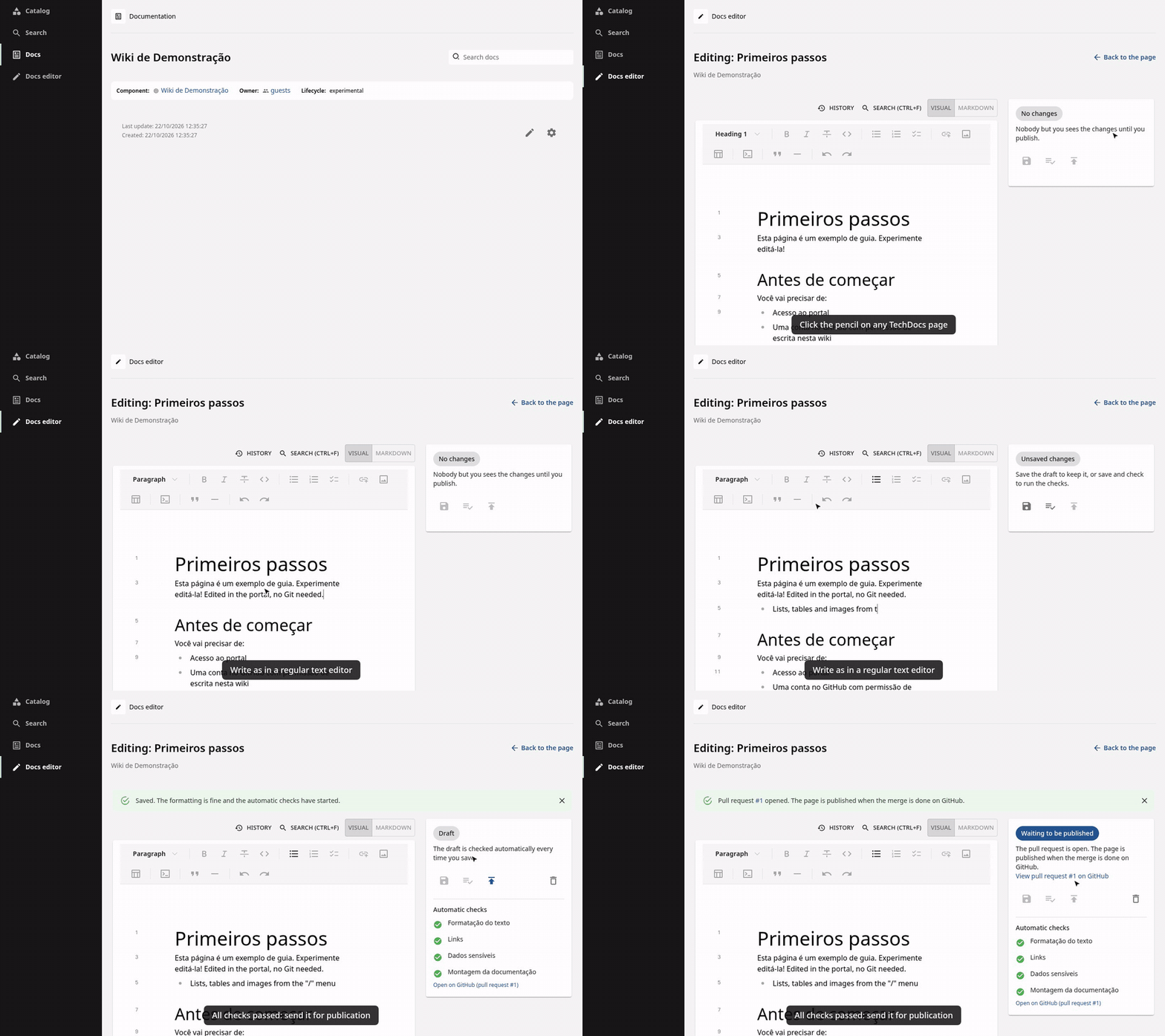
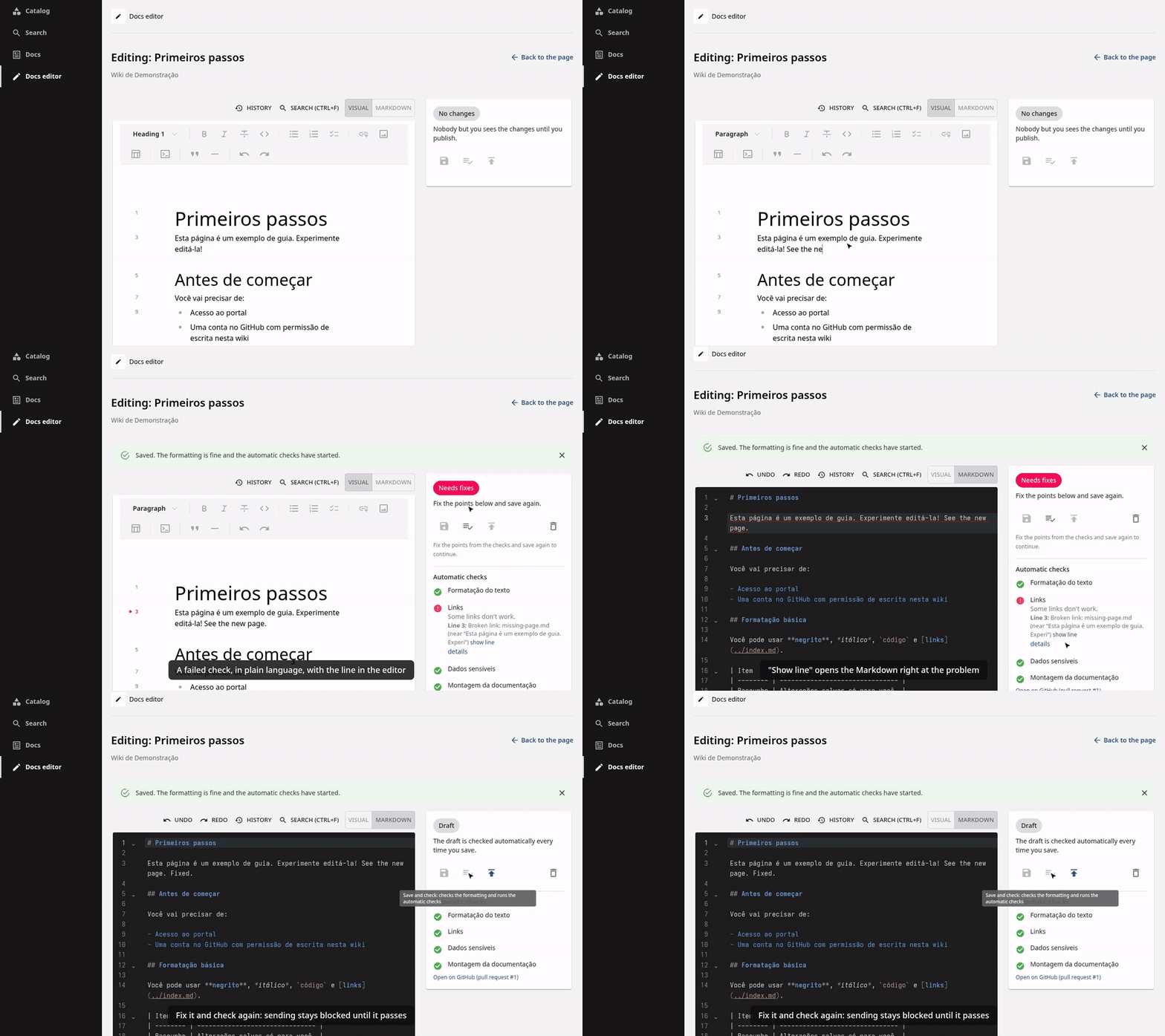
| Edit and publish | Checks in plain language | Markdown view and lint |
|---|---|---|
 |
 |
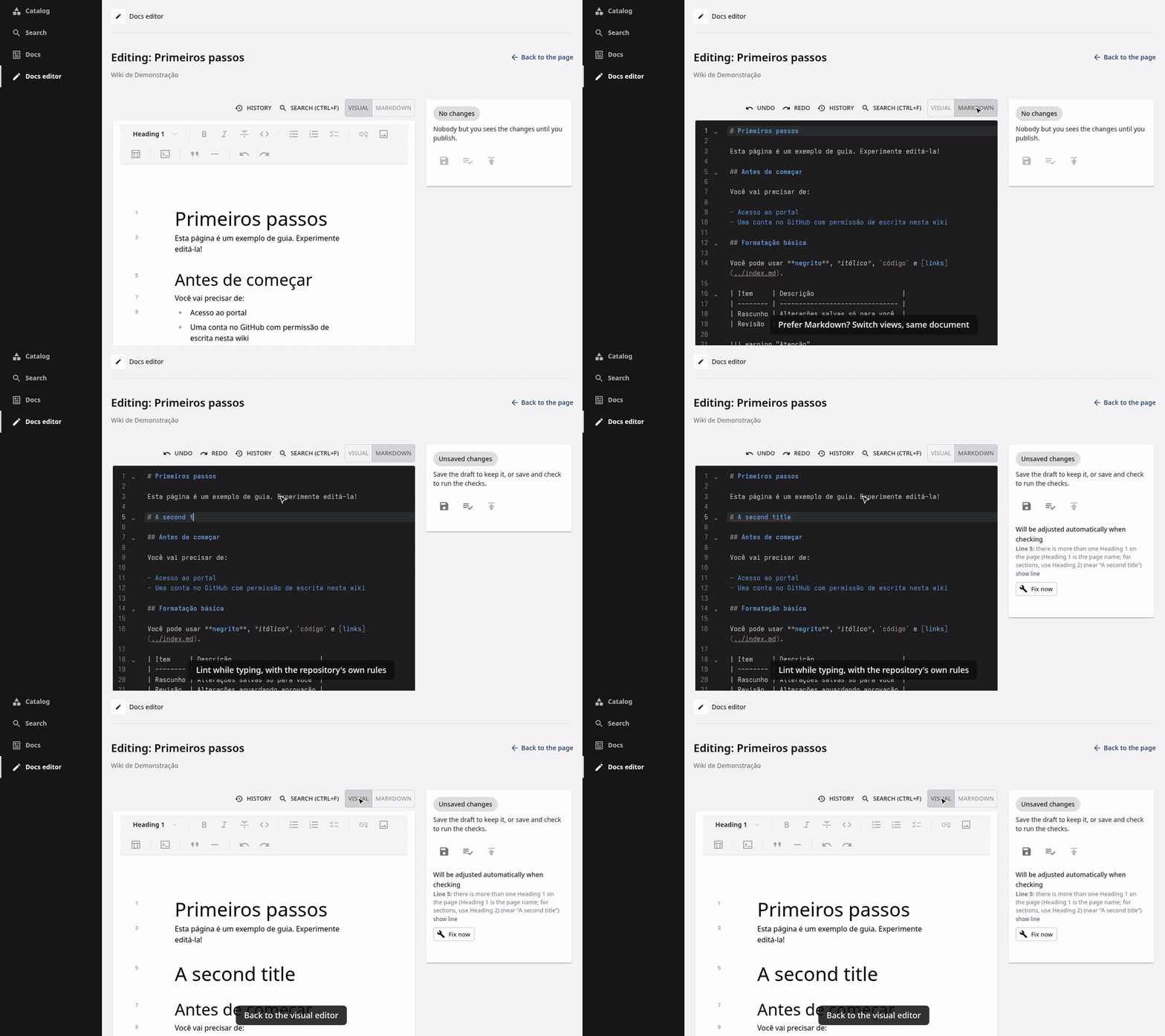 |
| Pencil on the page, visual editor, draft pull request, checks, send | A failed check in plain language; "show line" goes to the problem | Same document as Markdown, lint while typing |
The videos are recorded from the development app with a simulated GitHub (yarn record:videos).
Requirements: Node 22 or 24 (.nvmrc), Yarn via Corepack, Python 3 for MkDocs.
corepack enable
yarn install
python3 -m venv .venv && .venv/bin/pip install -r requirements-docs.txt
PATH="$PWD/.venv/bin:$PATH" yarn start   # http://localhost:3000, sign in as guest
The development app (packages/app, packages/backend) shows an example wiki
(plugins/techdocs-editor/e2e/portal/wiki-fixture).
Without GitHub sign-in the editor opens with a message saying it is not configured (the portal tests simulate GitHub instead). To edit for real:
-
Create a GitHub OAuth App (GitHub → Settings → Developer settings → OAuth Apps) with homepage
http://localhost:3000and callback URLhttp://localhost:7007/api/auth/github/handler/frame. -
Start the app with its credentials:
export AUTH_GITHUB_CLIENT_ID=<client id> AUTH_GITHUB_CLIENT_SECRET=<client secret>
PATH="$PWD/.venv/bin:$PATH" yarn start
-
Register a documentation repository you can write to, in
app-config.local.yaml(not committed):catalog: locations: - type: url target: https://github.com/<owner>/<repo>/blob/main/catalog-info.yaml
The example wiki points to
edtroleis/docs-editor-wiki-demo: editing it for real opens pull requests there.
| Command | What it does |
|---|---|
yarn test:editor |
Unit tests and the editor in the browser (Playwright) |
yarn test:editor:portal |
The editor inside the development app, with a simulated GitHub (starts the app if needed) |
yarn tsc, yarn lint:all, yarn knip:editor |
Types, lint, unused code |
yarn changeset |
Describe a change for the next release |
Changesets: each pull request that changes a package adds a changeset; the Release workflow opens a "Version Packages" pull request, and merging it submits the new versions to npm (with provenance) for a maintainer to approve with 2FA.
Apache-2.0. @edtroleis/plugin-techdocs-editor-common bundles markdownlint and its
dependencies (MIT); their licenses are in
THIRD_PARTY_NOTICES.md, published with the package.