


1. Install Nilesoft Shell
Use the installer from the latest release, or winget install nilesoft.shell. For the portable zip, register it from an admin terminal:
shell.exe -register -restart2. Clone and install dependencies
git clone https://github.com/pxnz3r/Nilesoft-Shell-GUI
cd Nilesoft-Shell-GUI
pip install -r requirements.txt
3. Run the GUI
streamlit run theme-tweaker.pyOr double-click start.bat. Opens at http://localhost:8501. The Theme tab starts from your current imports/theme.nss.
For changes to take effect, Shell needs access to the .nss files:
Copy - copy the repo files into your Shell install folder.
Symlink - run as admin for live editing:
mklink /J "C:\Program Files\Nilesoft Shell\imports" "C:\full\path\to\Nilesoft-Shell-GUI\imports"
mklink "C:\Program Files\Nilesoft Shell\shell.nss" "C:\full\path\to\Nilesoft-Shell-GUI\shell.nss"
After any change: Ctrl + right-click desktop → Shell → Update changes (or restart Explorer).
Set the Shell install path in the Settings → Shell Installation Path tab to read
shell.logfor errors.
| Tab | Purpose |
|---|---|
| Menu Items | Build custom entries (title, command, args, icon, conditions) plus a snippet library |
| Modify | Hide, reorder, or move built-in system menu items |
| Settings | Priority, delay, tooltips, exclude condition, shell.log viewer |
| Imports | Toggle imports, inline editor for any .nss file, syntax checker |
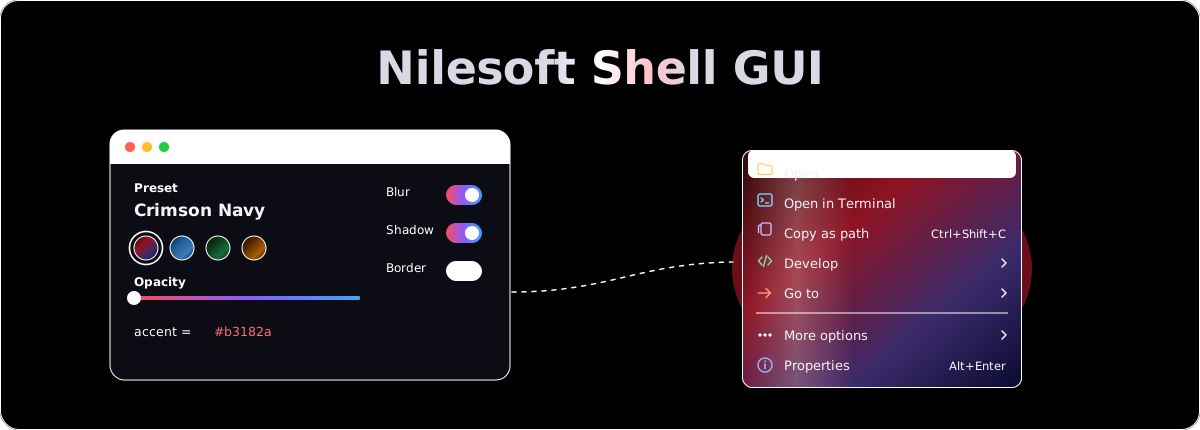
| Theme | Colors, gradients (up to 6 stops), effects, border, shadow, font, 10 presets, live preview |
| Icons | Preview every SVG in images.nss in your theme's icon colors |
| Find | Search and replace across all .nss files |
| Export | Package your config as .zip with optional theme state, and restore it |
| History | Auto-timestamped backups with one-click restore |
├── theme-tweaker.py         Streamlit GUI
├── requirements.txt         Python dependencies
├── start.bat                Launcher
├── shell.nss                Main entry point (imports all modules)
├── imports/
│   ├── theme.nss            Colors, gradients, fonts, borders, shadows
│   ├── modify.nss           System item reordering rules
│   ├── custom.nss           Your custom menu items (auto-created)
│   ├── images.nss           ~100 SVG icon definitions
│   ├── terminal.nss         Terminal / command prompt entries
│   ├── file-manage.nss      File operations (copy path, attributes, etc.)
│   ├── develop.nss          Dev tools (VS Code, dotnet, etc.)
│   ├── goto.nss             Navigation shortcuts
│   └── taskbar.nss          Taskbar-specific items
├── Docs/                    Nilesoft Shell reference documentation
├── AGENTS.md                AI assistant context
├── CLAUDE.md                Claude Code entry (imports AGENTS.md)
└── SKILL.md                 NSS syntax reference for assistants
Full Nilesoft Shell reference in the Docs/ folder or at nilesoft.org/docs.
This GUI is MIT licensed. Nilesoft Shell and the default .nss configs it ships are MIT by moudey.
Contributions welcome, see CONTRIBUTING.md. Release notes are in CHANGELOG.md.
Made with ❤️ by pxnz3r