
🌐 Easily host your own pgAdmin on Square Cloud and manage your PostgreSQL databases from anywhere, right from your browser.
New to Square Cloud? Follow these steps in order. You will create an account, choose a plan and upload a ready-made zip: no coding needed.
Sign up on the Square Cloud signup page with your email.
Hosting on Square Cloud requires an active plan, and the upload in step 4 asks for one, so choose it now.
pgAdmin needs 1 GB of RAM: the Hobby plan runs it. To also host the PostgreSQL database on Square Cloud, choose the Standard plan: managed databases need Standard or higher. Compare every plan and its price on the pricing page.
Download project.zip from the latest release. This is the file you upload in the next step: you don't need to extract it.
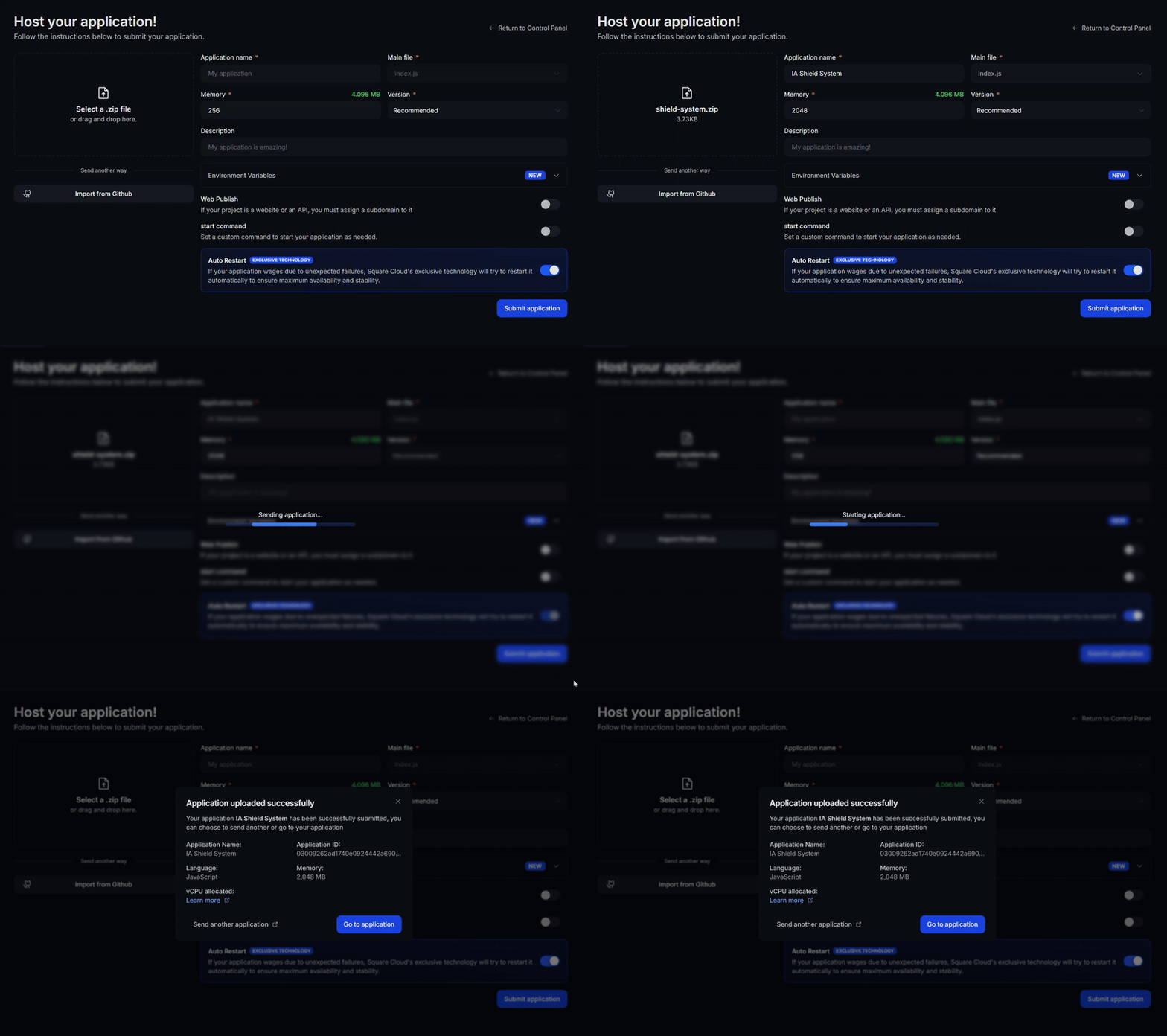
- Open the Square Cloud upload page.
- Select the zip option and send the
project.zipyou downloaded. - Select Web Publication and choose a subdomain, for example
my-pgadmin. Your pgAdmin will be athttps://my-pgadmin.squareweb.app. - Open Advanced configuration and add these environment variables. pgAdmin uses them to create your login on the first start:
PGADMIN_SETUP_EMAIL: the email you will log in withPGADMIN_SETUP_PASSWORD: a strong password
- Click Deploy.
Open https://my-pgadmin.squareweb.app and log in with the email and password you set. Then add your PostgreSQL server to manage it from anywhere. Need a database? See how to create a managed database on Square Cloud.
📖 Need more details? Read the full pgAdmin guide in the Square Cloud documentation.
- pgAdmin 9.18, served by Gunicorn 26.2, both pinned in
requirements.txt. main.pystarts pgAdmin on port 80 with a single worker (more workers cause CSRF errors).config_local.pykeeps pgAdmin's data in the.pgadmin4folder of your application.
The goal of this project is to let you host a pgAdmin instance on Square Cloud, so you can access your PostgreSQL databases from anywhere, directly from your browser.
🙋♂️ Questions or suggestions? Contact Square Cloud Support or open an issue in this repository!
Maintained by @josejooj on GitHub.