
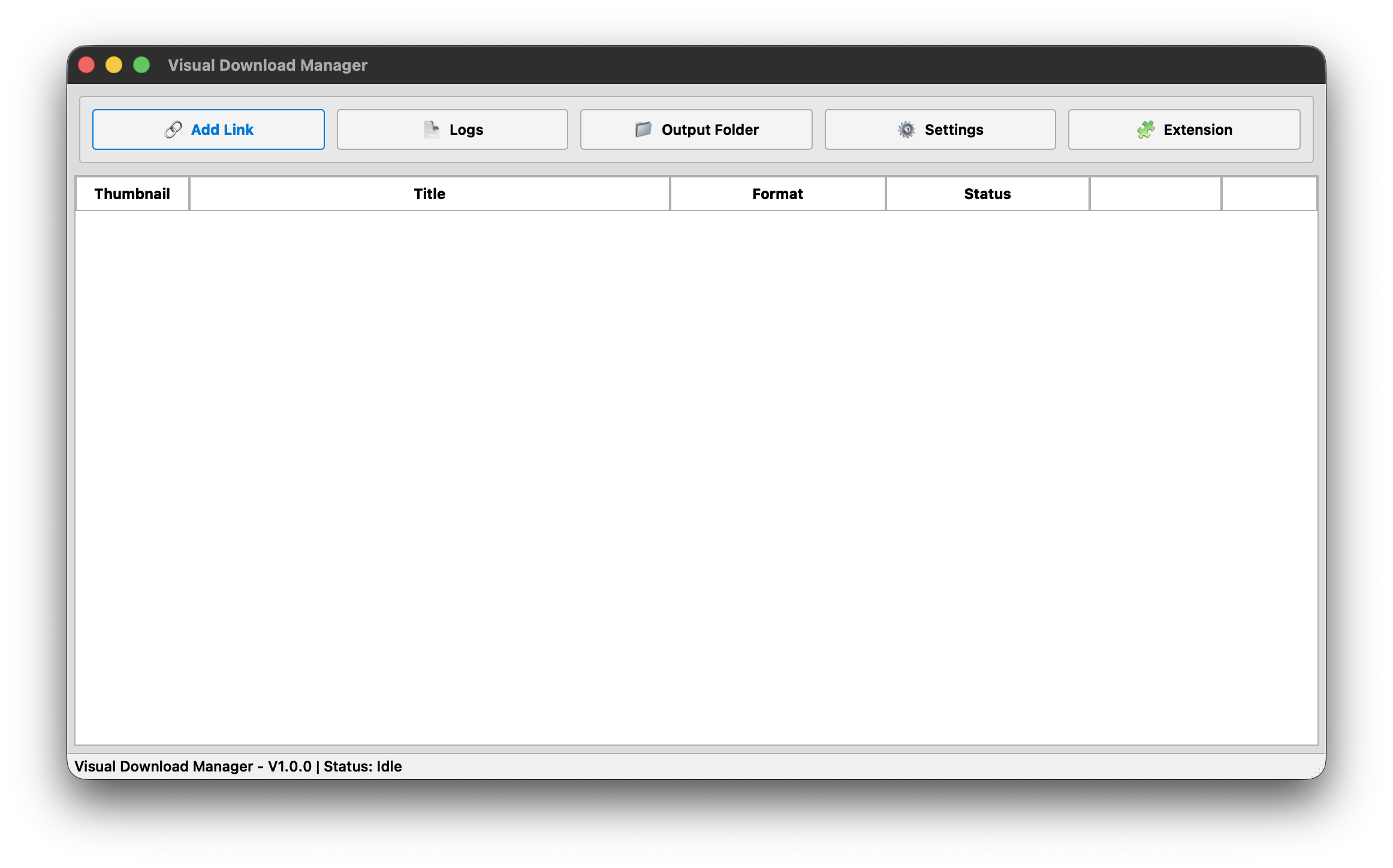


Visual Download Manager (VDM) is a simple and modern application for downloading videos and music in the best quality available.
No complicated setup. No unnecessary subscriptions. No accounts. No bullshit.
Just paste a link, choose what you want, and download.
VDM is powered by yt-dlp and FFmpeg, allowing it to handle video and audio processing while keeping the experience simple and straightforward.
This program is completely free — no subscriptions, no hidden fees, no premium plans.
I'll keep developing it until I get bored of it.
| Feature | Description |
|---|---|
| 🎬 Best Video Quality | Download videos in the highest quality available |
| 🎵 Best Audio Quality | Download music and audio in the best quality available |
| 📂 Playlist Support | Download entire video or music playlists easily |
| 🆓 Completely Free | No subscriptions, premium plans, or hidden fees |
| 🍪 No Cookie Collection | VDM does not collect or store browser cookies or authentication data |
| 🔒 Privacy First | No personal information, download history, or user activity is collected |
| 💻 Runs Locally | Everything is processed directly on your computer |
| 🖥️ Cross Platform | Available for Windows and macOS Apple Silicon |


All releases are available on the official GitHub Releases page.
Visual Download Manager currently supports Apple Silicon Macs.
Compatible with:
- M1
- M2
- M3
- M4
- Newer Apple Silicon processors
Visual Download Manager currently supports Apple Intel All
- Go to the latest release
- Download the
.dmgfile - Open the downloaded
.dmg - Drag Visual Download Manager into your Applications folder
- Open Visual Download Manager
macOS may show a security warning when opening the application for the first time.
If this happens:
- Open the Applications folder
- Find Visual Download Manager
- Right-click the application
- Click Open
- Click Open again to confirm
You only need to do this once.
The application is distributed by an independent developer. Depending on the release configuration, macOS may display a warning for applications that are not notarized through Apple's developer program.
- Go to the latest release
- Download
VDM.Windows.VX.X.X.exe - Launch Visual Download Manager
Windows may occasionally display a Microsoft Defender SmartScreen warning.
If you downloaded the application from the official GitHub release:
- Click More info
- Click Run anyway
This may happen with newer or independently distributed applications that have not yet established a reputation with Microsoft's SmartScreen system.
Don't know where to start?
It's simple.
Copy a Video URL
        ↓
Paste it into VDM
        ↓
Select Video
        ↓
Choose Quality
        ↓
Click Download
VDM will process the available formats and download the video.
Copy a Video or Music URL
        ↓
Paste it into VDM
        ↓
Select Audio
        ↓
Choose Quality
        ↓
Click Download
VDM will extract and process the audio automatically.
Want to download multiple videos or songs?
Just copy the playlist URL and paste it into VDM.
Copy Playlist URL
        ↓
Paste into VDM
        ↓
Select Video or Audio
        ↓
Choose Quality
        ↓
Start Download
VDM will handle the playlist automatically.
No need to manually copy every individual link.
Your downloads are your business.
Visual Download Manager is designed to run locally on your computer.
VDM does not:
- Collect personal information
- Track user activity
- Upload download history
- Store browser cookies
- Store authentication information
- Require an account
- Require a subscription
- Send your download history to external servers
Everything related to downloading is processed directly on your device.
Your data stays on your computer. Period.
Visual Download Manager can check for new versions automatically.
When a new version is available, simply follow the update prompt.
If automatic updates are unavailable or fail for any reason, you can always download the latest version manually.

Visual Download Manager is built using amazing open-source software.


The core engine responsible for retrieving media from supported platforms.
Used for media processing, merging, and conversion.
Huge thanks to the developers and contributors behind these projects.
Visual Download Manager is intended for downloading publicly accessible content that you are legally permitted to access and download.
Users are responsible for ensuring that their use of this software complies with applicable laws and the terms of service of the platforms they access.
This is an independent project.
There is no company behind it.
No investors.
No subscription model waiting around the corner.
No plan to suddenly lock features behind a premium version.
I built this because I wanted a download manager that was simple, clean, and actually pleasant to use.
So that's what I'm making.
Development will continue until I get bored.
No roadmap promises. No corporate bullshit.
Just updates whenever I feel like building something better.
Hopefully, I won't get bored anytime soon.
